
Event badge types: choosing the right conference pass
Compare attendee, speaker, organizer and VIP badges, with practical advice on readable design, printing and linking QR passes to guest records.
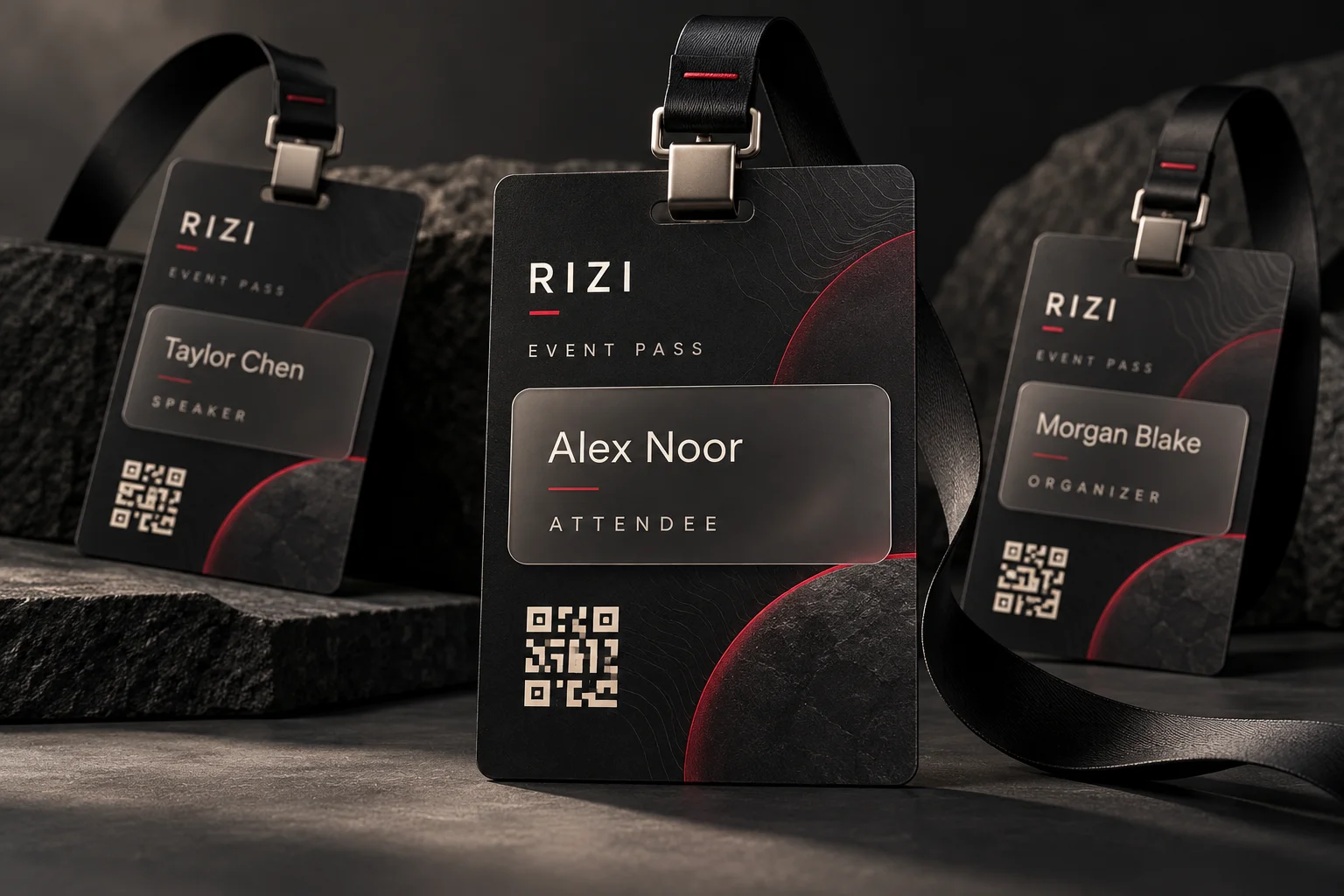
An event badge is a visible identity card that helps people recognize a guest’s name and role. When it is linked to a registration record and an appropriate QR workflow, it can also support arrival checks. The best badge is the one your reception team can read and use quickly—not the one with the most decoration.
This guide explains the practical types of conference and exhibition badges, what belongs on each, and how to choose a manageable set for your event.
Choose categories by responsibility
Start with the decisions your team needs to make at reception. A small workshop may need only attendees and organizers. A larger conference may also need speakers, exhibitors and volunteers. Too many similar categories create uncertainty, especially when temporary staff have only a few seconds to help a guest.
- Attendee: prioritize the name, event identity and registration-linked QR code.
- Speaker: make the speaker role clear; add an organization or session detail only if it is useful and approved.
- Exhibitor or sponsor: use the correct company name and approved brand assets. Exhibiting and sponsoring can be different responsibilities.
- Organizer or volunteer: use a clear role label so guests know whom to approach for assistance.
- VIP or VVIP: use a distinctive design when the event requires it, with reception instructions agreed separately.
A gold badge does not automatically open a lounge. Appearance communicates a role; actual admission depends on the event’s configured records and the team’s rules.
Printed, digital or both?
A printed badge remains visible during networking and does not require the guest to keep opening a phone. A digital pass is easier to share before arrival and can help guests find their QR code. Using both can work well: the guest presents the digital pass at reception and collects a printed name badge.
Keep both versions linked to the same guest. Creating a second registration solely to print another card can fragment attendance records. Decide who may approve a replacement if a badge is lost, and explain whether a replacement changes the admission credential.
Design for reading and scanning
Place the guest’s name where it can be read at a normal conversational distance. Keep the role label distinct from the company name, and test long Arabic and English names before printing. Use words as well as colors so categories remain understandable without relying on color perception.
Give the QR code a clean, high-contrast area. DENSO WAVE specifies a four-module blank margin around a standard QR symbol. Preserve that space and test the finished print inside its actual holder; a good screen preview does not prove that glossy stock or a sleeve will scan reliably.
Prepare a simple production brief
Before approving artwork, confirm the badge dimensions, holder, language, categories, guest fields, quantity and delivery deadline. Print a small test set that includes a long name, a short name and each role. Ask someone from reception to read and scan the cards under venue-like lighting.
For a 200-person conference, a practical brief might request attendee, speaker and organizer layouts, bilingual names where supplied, and a separate process for late registrations. This is a planning example, not a requirement to create three categories for every event.
Create a badge plan with Rizi
Rizi connects guest registration and QR arrival workflows. Its configured conference badge service can include role layouts, printable files and approved imagery. Custom layouts and availability depend on the event setup; contact the team before promising a specific design to guests.
Explore Rizi conference badges, then read how to create a badge in the Rizi dashboard. If your main question is invitations, compare badges and RSVP cards before choosing your guest journey.